Keszoox
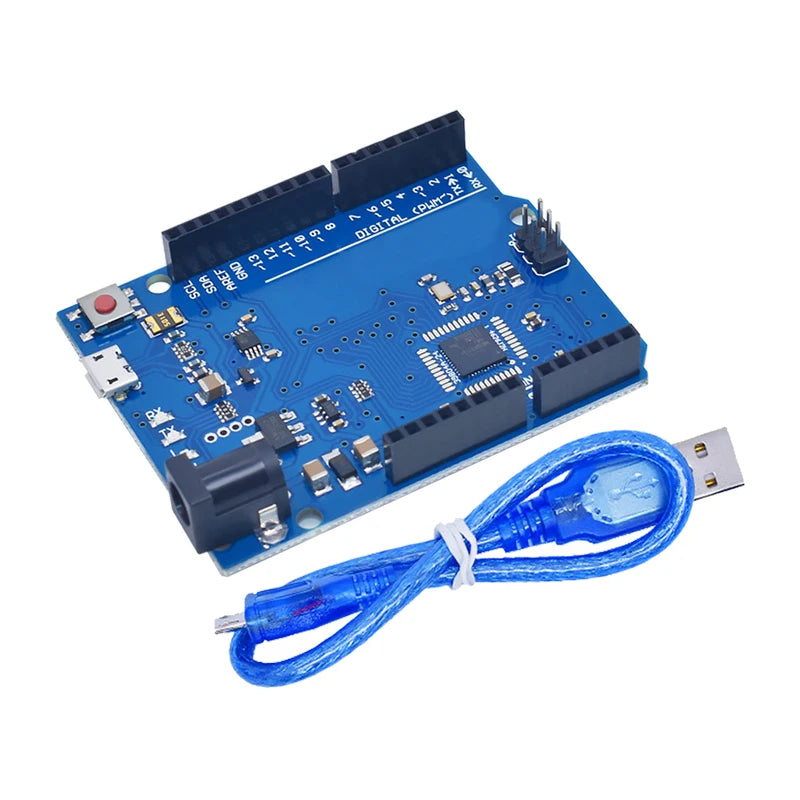
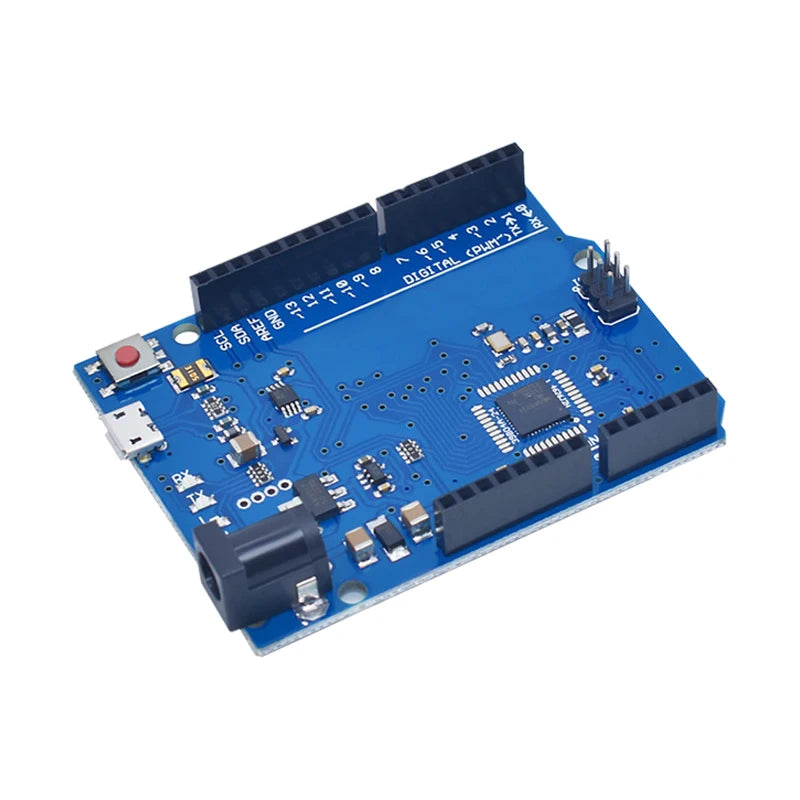
Arduino Leonardo R3 — ATmega32U4, Native USB HID, Arduino IDE, with USB Cable
Arduino Leonardo R3 ATmega32U4, Native USB HID, Arduino IDE, with USB Cable

Couldn't load pickup availability
Arduino Leonardo R3 — ATmega32U4, Native USB HID
The Arduino Leonardo R3 is an Arduino-compatible development board based on the ATmega32U4 microcontroller with native USB support. Unlike the Arduino UNO which uses a separate USB-to-serial chip, the Leonardo’s ATmega32U4 handles USB communication directly — allowing it to appear to a connected computer as a USB keyboard, mouse, joystick, or MIDI device (HID) without any additional hardware. Includes a USB cable.
Key Specifications
| Parameter | Value |
|---|---|
| Microcontroller | ATmega32U4 |
| Operating Voltage | 5V |
| Input Voltage | 7V – 12V (recommended) |
| Digital I/O Pins | 20 (7 PWM) |
| Analog Input Pins | 12 |
| Flash Memory | 32KB (4KB used by bootloader) |
| SRAM | 2.5KB |
| EEPROM | 1KB |
| Clock Speed | 16MHz |
| USB | Native USB (ATmega32U4 built-in) |
| HID Support | Keyboard, Mouse, Joystick, MIDI |
| Operating Temperature | -40 to +85 degrees C |
Leonardo vs UNO — Key Differences
| Feature | Leonardo R3 | UNO R3 |
|---|---|---|
| USB Chip | ATmega32U4 (native) | ATmega16U2 (separate) |
| HID Device | Yes (keyboard/mouse) | No |
| Analog Pins | 12 | 6 |
| Serial Port | USB CDC (virtual) | Hardware UART |
| I2C Pins | D2 (SDA), D3 (SCL) | A4 (SDA), A5 (SCL) |
Why Choose Arduino Leonardo?
- Native USB HID — appear as keyboard, mouse, or joystick without extra hardware
- 12 analog inputs — double the analog channels of Arduino UNO
- ATmega32U4 — same chip used in Arduino Micro and Pro Micro
- Arduino IDE compatible — use all standard Arduino libraries
- Includes USB cable — ready to program immediately
Typical Applications
- USB keyboard automation — automate keystrokes for macros, shortcuts, and testing
- Custom HID controller — build custom game controllers, MIDI controllers, and input devices
- Mouse emulation — control cursor position from sensors or joysticks
- Rubber Ducky / BadUSB — USB HID payload injection for security research
- Accessibility device — custom input device for users with limited mobility
- MIDI controller — build custom MIDI instruments and controllers
FAQ
Q: Can Leonardo act as a USB keyboard?
A: Yes. Use the built-in Keyboard library: Keyboard.print("Hello") sends keystrokes to the connected computer.
Q: Is Leonardo compatible with Arduino UNO shields?
A: Mostly yes. The pin layout is similar but not identical — I2C pins are on D2/D3 instead of A4/A5. Check shield compatibility before use.
Q: Why does my Leonardo not appear as a serial port?
A: The Leonardo uses USB CDC for serial. Use Serial (not Serial1) in your sketch and wait for Serial to be ready with while(!Serial).
Package Contents
- 1x Arduino Leonardo R3 (ATmega32U4)
- 1x USB Cable (Micro USB)