



DS18B20 Digital Temperature Sensor — 1-Wire, TO-92, -55°C to +85°C, with 4.7K Resistor
DS18B20 Digital Temperature Sensor 1-Wire, TO-92, -55°C to +85°C, with 4.7K Resistor
Compatible JST cables for sensors and modules — secure & reliable. Shop now.

Couldn't load pickup availability
DS18B20 Digital Temperature Sensor — 1-Wire Interface, TO-92 Package
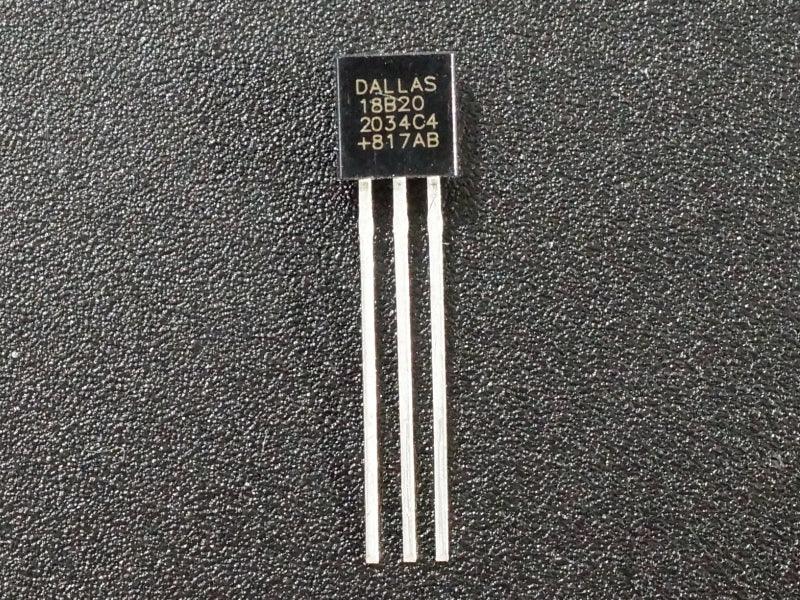
The DS18B20 is the industry-standard 1-Wire digital temperature sensor from Dallas/Maxim, measuring temperatures from -55°C to +85°C with ±0.5°C accuracy over the -10°C to +85°C range. Its single-wire digital interface means only one microcontroller pin is needed — and multiple DS18B20 sensors can share the same bus, each identified by a unique 64-bit serial number. Includes a 4.7kΩ pull-up resistor for immediate use.
Key Specifications
| Parameter | Value |
|---|---|
| Interface | 1-Wire (single digital pin) |
| Supply Voltage | 3.0V – 5.5V |
| Temperature Range | -55°C to +85°C |
| Accuracy | ±0.5°C (-10°C to +85°C) |
| Resolution | 9–12 bit (programmable) |
| Conversion Time | 93.75ms (9-bit) to 750ms (12-bit) |
| Package | TO-92 (3-pin through-hole) |
| Logic Levels | Logic High >2.2V / Logic Low <0.8V |
| Manufacturer | Dallas / Maxim (now Analog Devices) |
Why Choose the DS18B20?
- Single-wire bus — only one GPIO pin required; multiple sensors can share the same wire
- Digital output — immune to electrical noise and long cable runs, unlike analog sensors (LM35, NTC thermistor)
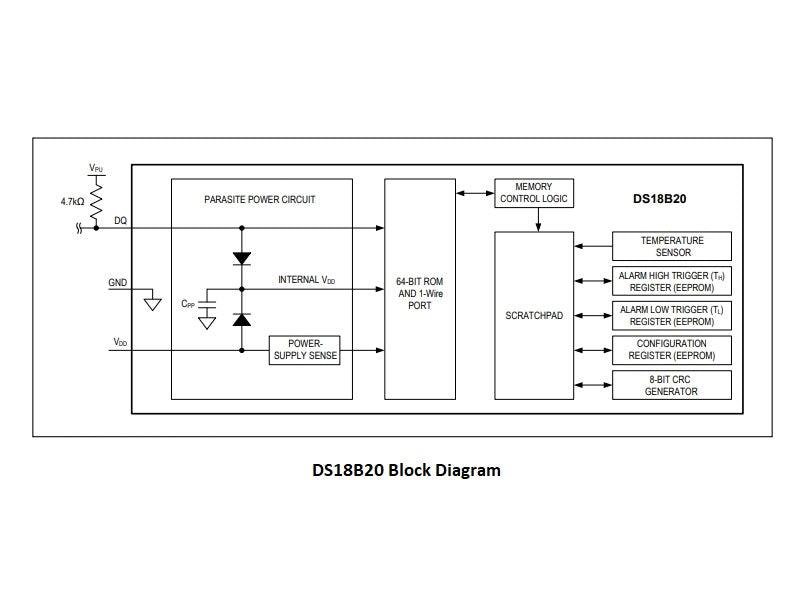
- Unique 64-bit address — identify and address each sensor individually on a shared 1-Wire bus
- Programmable resolution — 9 to 12-bit resolution trades off speed vs. precision
- Parasitic power mode — can operate on just 2 wires (data + ground) without a separate power supply
- Compact TO-92 package — fits tight PCB areas or can be soldered to a cable for remote mounting
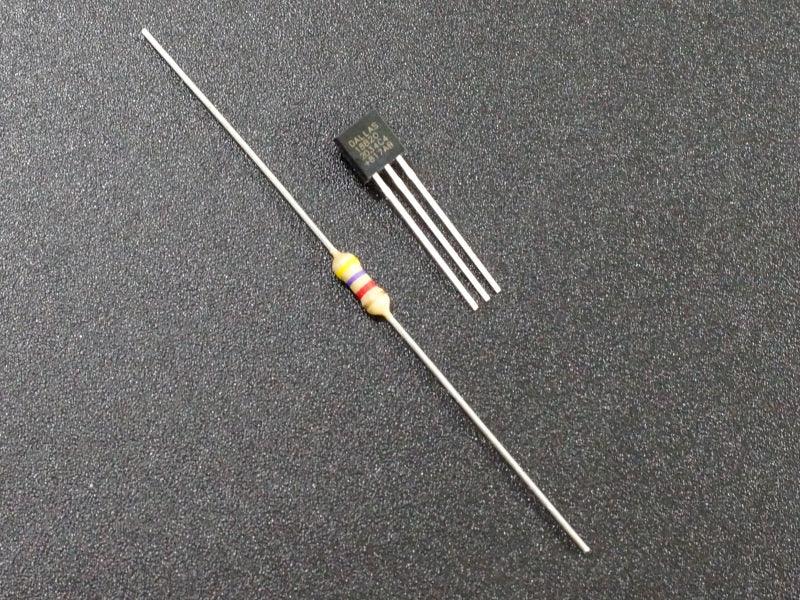
- Includes 4.7kΩ resistor — required pull-up for 1-Wire bus, included in the package
Typical Applications
- Arduino and Raspberry Pi temperature monitoring projects
- Multi-point temperature logging (multiple sensors on one pin)
- Thermostat and temperature controller builds
- Remote temperature sensing with long cable runs
- Heat sink and enclosure thermal monitoring
- Aquarium, greenhouse, and environmental monitoring
- 3D printer heated bed and hotend temperature sensing
Wiring (Arduino)
| DS18B20 Pin | Connection |
|---|---|
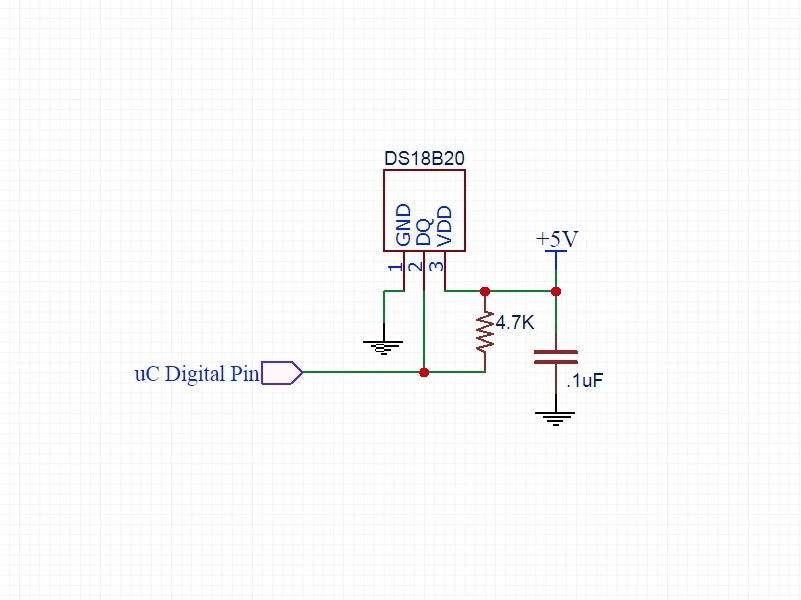
| VDD (pin 3) | 3.3V or 5V |
| GND (pin 1) | GND |
| DQ (pin 2) | Digital pin (e.g. D4) + 4.7kΩ pull-up to VDD |
Frequently Asked Questions
Q: What libraries do I need for Arduino?
Install OneWire and DallasTemperature libraries via the Arduino Library Manager. These handle all 1-Wire protocol communication and make reading temperature as simple as calling sensors.getTempCByIndex(0).
Q: How many DS18B20 sensors can I connect to one pin?
Theoretically unlimited — each sensor has a unique 64-bit address. In practice, 10–20 sensors on a single bus is common. Use a stronger pull-up resistor (2.2kΩ) for longer buses or more sensors.
Q: What is parasitic power mode?
In parasitic mode, the sensor draws power from the data line, requiring only 2 wires (DQ + GND). This simplifies wiring for remote sensors but requires special timing considerations. For most projects, use standard 3-wire mode (VDD + GND + DQ).
Q: DS18B20 vs LM35 — which should I use?
The DS18B20 is better for: long cable runs, multiple sensors on one pin, noise-sensitive environments, and digital systems. The LM35 is simpler (direct analog output, no library needed) but is more susceptible to noise and requires one analog pin per sensor.
Package Contents
- 1× DS18B20 Digital Temperature Sensor (TO-92)
- 1× 4.7kΩ resistor (pull-up for 1-Wire bus)

Blog posts
View all-

IC Chips & Discrete Components Express Shipping...
Shipping IC chips and discrete electronic components internationally requires more than choosing a carrier. ESD-safe packaging, correct HS codes, accurate customs declarations, and carrier selection for your destination all determine...
IC Chips & Discrete Components Express Shipping...
Shipping IC chips and discrete electronic components internationally requires more than choosing a carrier. ESD-safe packaging, correct HS codes, accurate customs declarations, and carrier selection for your destination all determine...
-

From Prototype to Mass Production — How to Scal...
Scaling from prototype to mass production is the most critical transition in a hardware product's lifecycle. The sourcing strategy that works for 10 prototype boards — cut tape, spot pricing,...
From Prototype to Mass Production — How to Scal...
Scaling from prototype to mass production is the most critical transition in a hardware product's lifecycle. The sourcing strategy that works for 10 prototype boards — cut tape, spot pricing,...
-

ISO 9001 Electronic Component Distributor — Wha...
ISO 9001:2015 certification is the most widely recognized quality management standard in the world — but what does it actually mean when an electronic component distributor claims to be ISO...
ISO 9001 Electronic Component Distributor — Wha...
ISO 9001:2015 certification is the most widely recognized quality management standard in the world — but what does it actually mean when an electronic component distributor claims to be ISO...


