Keszoox
1602 LCD I²C Display Module — 16×2 HD44780, Blue/Green Backlight, Arduino UNO/Mega
1602 LCD I²C Display Module 16×2 HD44780, Blue/Green Backlight, Arduino UNO/Mega

Couldn't load pickup availability
1602 LCD I²C Display Module — 16×2 HD44780, Blue/Green Backlight, Arduino
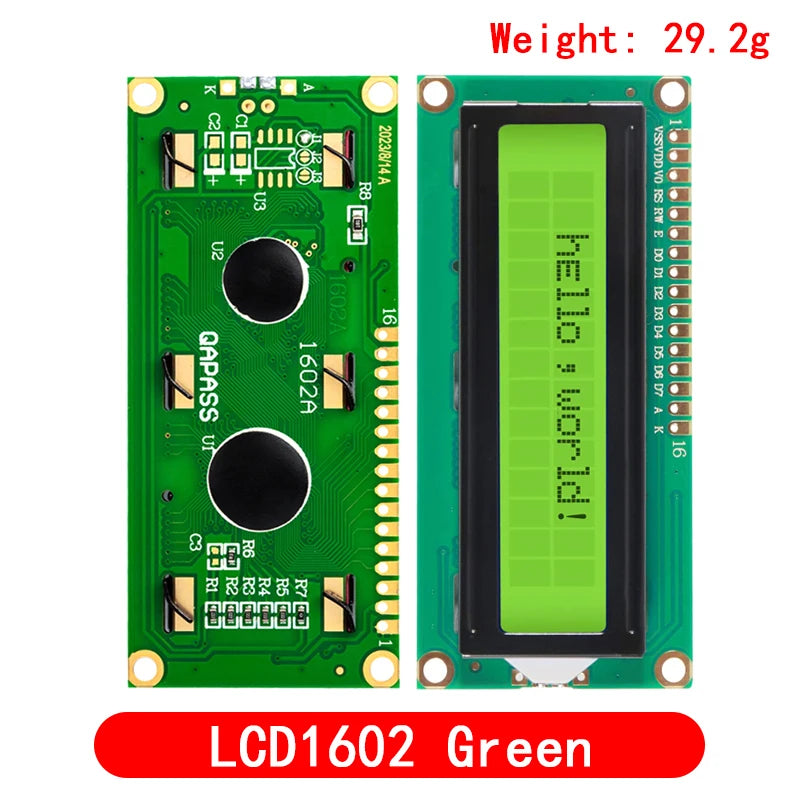
This 1602 LCD module with I²C backpack displays 16 characters across 2 rows using the standard HD44780 controller, with an onboard PCF8574 I²C expander reducing the interface from 6–8 GPIO pins to just 2 wires (SDA + SCL). Available in blue or green backlight, it is the most popular display for Arduino menu systems, sensor readouts, and status displays.
Key Specifications
| Parameter | Value |
|---|---|
| Display Format | 16 characters x 2 rows |
| Controller IC | HD44780 (or compatible) |
| I2C Expander | PCF8574 (I2C backpack) |
| I2C Address | 0x27 (default) or 0x3F (alternate) |
| Supply Voltage | 5V DC |
| Backlight Color | Blue (white text) or Green (black text) |
| Backlight Control | Software on/off + hardware potentiometer (contrast) |
| Character Size | 5x8 dot matrix per character |
| Custom Characters | 8 user-defined (CGRAM) |
| Operating Temperature | 0C to +50C |
Why Choose I2C Version?
- 2-Wire Interface - Frees up 6+ GPIO pins vs. parallel connection
- Adjustable Contrast - Onboard potentiometer for optimal readability
- Software Backlight Control - Turn backlight on/off in code to save power
- 8 Custom Characters - Define custom symbols (battery icon, degree symbol, arrows)
- LiquidCrystal_I2C Library - Simple Arduino library with familiar print() interface
Typical Applications
- Arduino sensor data display (temperature, humidity, distance)
- Menu navigation system with rotary encoder
- Clock and timer display
- Serial monitor replacement for standalone projects
- 3D printer status display (Marlin firmware)
- IoT device status and IP address display
Arduino Setup
Install LiquidCrystal_I2C library by Frank de Brabander. Connect SDA to A4, SCL to A5, VCC to 5V, GND to GND.
LiquidCrystal_I2C lcd(0x27, 16, 2); lcd.init(); lcd.backlight(); lcd.setCursor(0, 0); lcd.print("Hello, World!");
If display shows only blocks, adjust contrast potentiometer on backpack.
FAQ
Q: My display shows only blocks - what is wrong? Adjust the contrast potentiometer (small blue trimmer on the I2C backpack) with a screwdriver until characters appear.
Q: How do I find the I2C address? Run an I2C scanner sketch. Most modules use 0x27; some use 0x3F.
Package Contents
- 1x 1602 LCD Module with I2C Backpack (PCF8574)