



TFT LCD Display 2.8″ 240×320 RGB with Touchscreen — ILI9341, SPI, Arduino
TFT LCD Display 2.8″ 240×320 RGB with Touchscreen ILI9341, SPI, Arduino
Compatible JST cables for sensors and modules — secure & reliable. Shop now.

Couldn't load pickup availability
TFT LCD Display 2.8″ 240×320 RGB with Touchscreen — ILI9341, SPI, Arduino
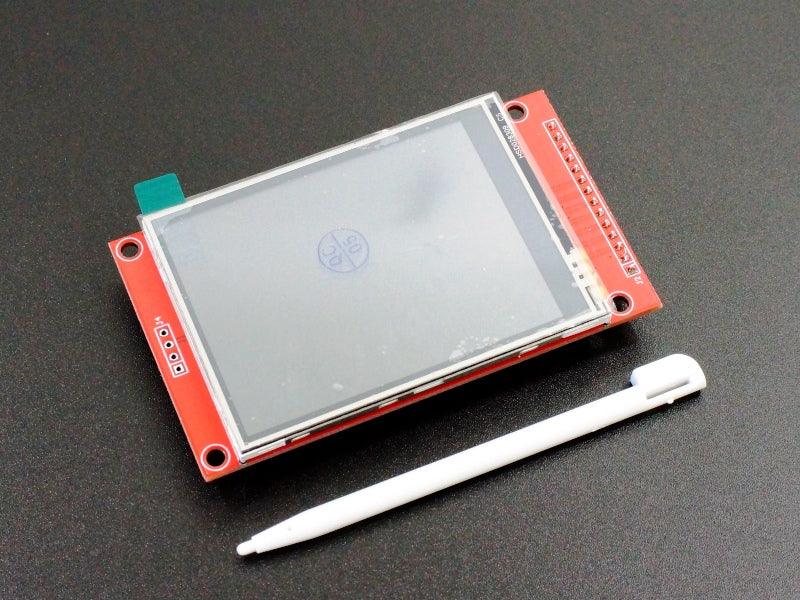
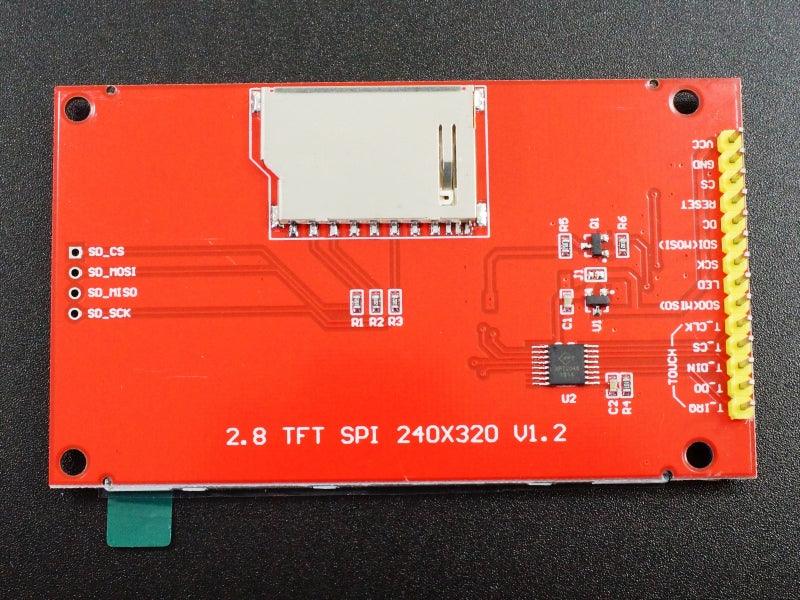
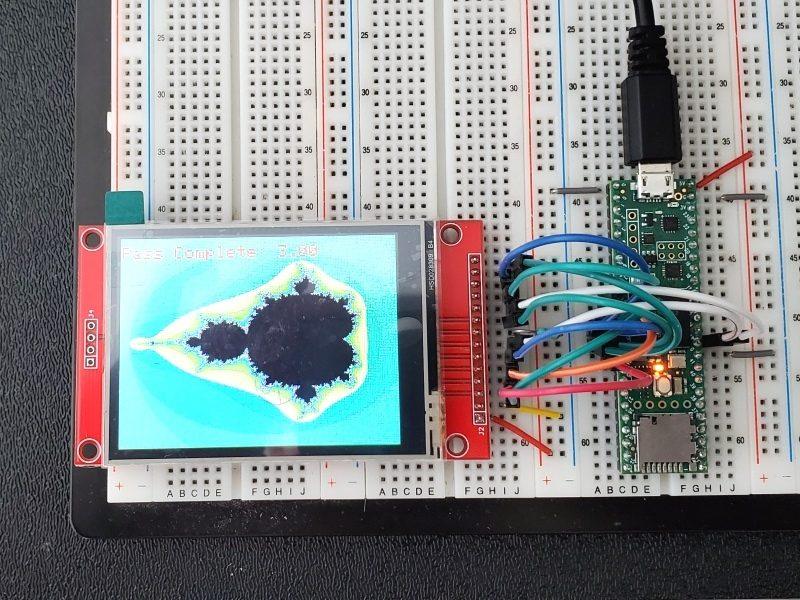
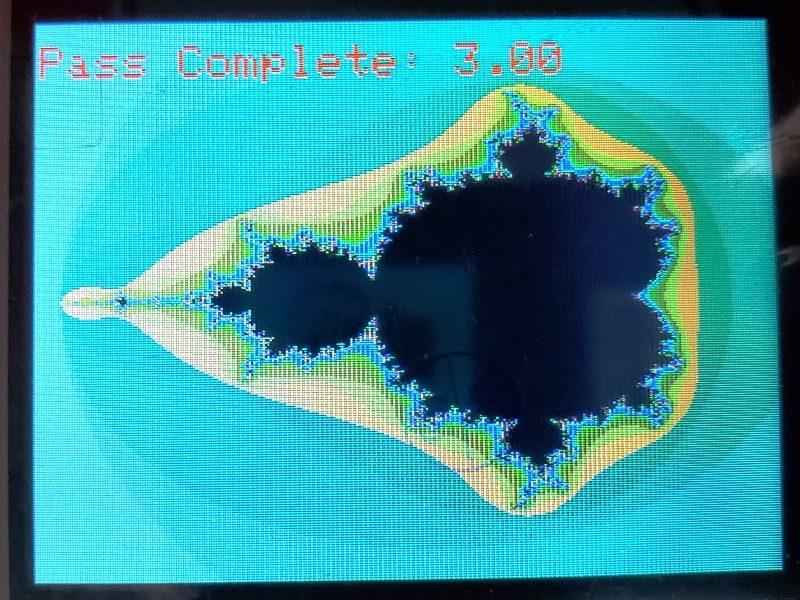
A 2.8-inch TFT LCD display with 240×320 pixel resolution, full RGB color, and an integrated resistive touchscreen — driven by the ILI9341 SPI controller. The touchscreen enables touch-based user interfaces, buttons, sliders, and menus directly on the display. The ILI9341 is the most widely supported TFT controller in the Arduino ecosystem, with extensive library support and community resources.
Key Specifications
- Size: 2.8 inches | Resolution: 240×320 pixels (portrait)
- Panel: TFT LCD | Colors: 65K (16-bit RGB565)
- Driver IC: ILI9341 | Interface: SPI
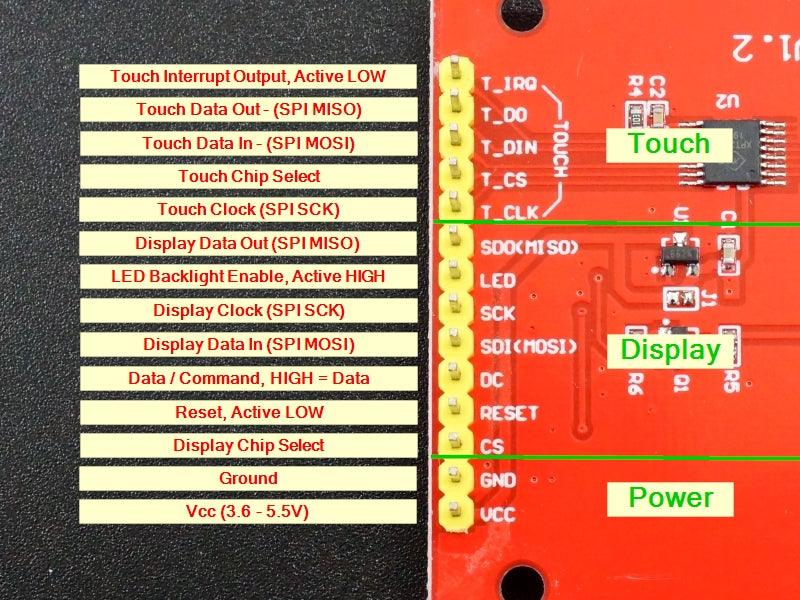
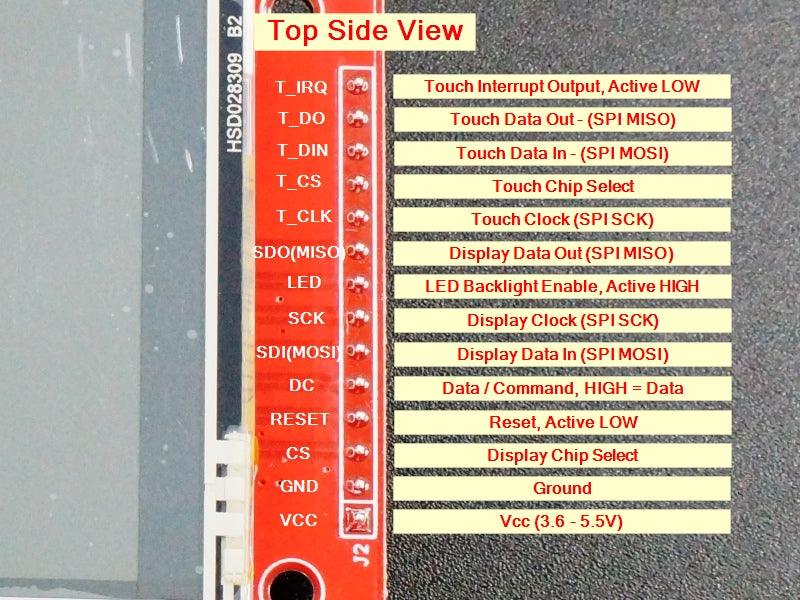
- Touch: Resistive touchscreen (XPT2046 controller)
- Supply: 3.3–5V
- Library: Adafruit ILI9341 / TFT_eSPI (Arduino)
- Compliance: RoHS compliant
Why Choose This Display?
- ✅ Integrated touchscreen — build touch UI without separate touch controller hardware
- ✅ ILI9341 driver — the most supported TFT controller in Arduino ecosystem
- ✅ 240×320 resolution — sharp graphics for UI, charts, and images
- ✅ TFT_eSPI library — fast hardware-accelerated SPI rendering
- ✅ 2.8″ size — large enough for comfortable touch interaction
Typical Applications
- Arduino touch UI and HMI (Human-Machine Interface)
- Touch-controlled menu and settings display
- Data visualization with touch interaction
- Arduino touch game display
- IoT device touch control panel

Blog posts
View all-

Best JST Connector Crimping Tools in 2026: Engi...
Choosing the wrong crimping tool ruins JST connectors and wastes wire. This guide compares the top crimping tools for JST SH, GH, PH, XH, and VH series — including Engineer...
Best JST Connector Crimping Tools in 2026: Engi...
Choosing the wrong crimping tool ruins JST connectors and wastes wire. This guide compares the top crimping tools for JST SH, GH, PH, XH, and VH series — including Engineer...
-

Molex KK 254 vs Mini-Fit Jr. vs Micro-Fit 3.0: ...
Choosing between Molex KK 254, Mini-Fit Jr., and Micro-Fit 3.0? This guide compares pitch, current rating, locking mechanism, wire gauge, and typical applications — with decision tables, part number references,...
Molex KK 254 vs Mini-Fit Jr. vs Micro-Fit 3.0: ...
Choosing between Molex KK 254, Mini-Fit Jr., and Micro-Fit 3.0? This guide compares pitch, current rating, locking mechanism, wire gauge, and typical applications — with decision tables, part number references,...
-

DuPont Connector vs JST PH 2.0: Pinout, Specs &...
Not sure whether to use a DuPont 2.54mm or JST PH 2.0mm connector? This guide compares pitch, locking mechanism, current rating, pinout, and best use cases — so you can...
DuPont Connector vs JST PH 2.0: Pinout, Specs &...
Not sure whether to use a DuPont 2.54mm or JST PH 2.0mm connector? This guide compares pitch, locking mechanism, current rating, pinout, and best use cases — so you can...


