



Arduino Shield Complete Guide: What It Is, Types & How to Choose
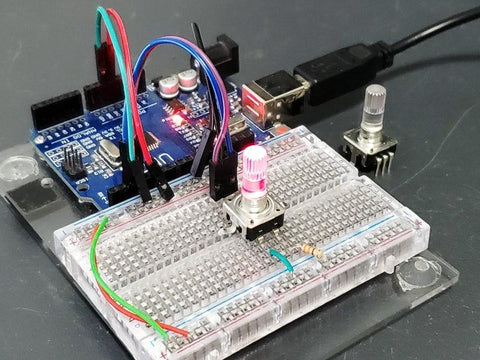
Working with Arduino is fun — but what if you wanted to turn it into a small car, a weather station, or a music player? That's where Arduino shields come in. They're one of the most powerful ways to extend what your Arduino can do, without complex wiring.
What Is an Arduino Shield?
An Arduino shield is a board you stack directly on top of your Arduino to add functionality. It takes complicated hardware and makes it quick and easy to use. Most shields come with a dedicated Arduino library, so you can get up and running with just a few lines of code.
Different platforms have their own names for shields:
- Arduino → Shields
- Raspberry Pi → HATs (Hardware Attached on Top)
- Adafruit Feather → Wings
- BeagleBone → Capes
Why Use an Arduino Shield?
- Instantly increases the functionality of your Arduino board
- All required components are already on the shield — no extra parts needed
- Shields are stackable — combine multiple shields for more features
- Easy to attach — just plug the pins into the headers
- Almost zero chance of wiring mistakes
- Huge variety available for almost any project
Arduino Shield vs Breakout Board: What's the Difference?
| Feature | Arduino Shield | Breakout Board |
|---|---|---|
| Size | Same size as Arduino | Usually smaller |
| Connection | Stacks directly on top | Connected via wires |
| Compatibility | Arduino-specific | Any microcontroller |
| Best for | Finished, permanent projects | Prototyping & breadboarding |
| Price | Usually higher | Usually lower |
| Wiring | Plug and play | Manual wiring required |
What to Check Before Buying an Arduino Shield
1. Good Documentation
Good documentation is essential. Look for shields with clear setup guides, example code, and an active community.
2. Stackability
Many shields are stackable. However, not all shields support stacking. Check for headers on top and avoid bulky components (like Ethernet ports) that may block other shields.
3. Pin Compatibility
Most shields are still compatible even if the pin count differs — extra pins simply won't be used. Always double-check compatibility before purchasing.
4. Assembly Requirements
Some shields come fully assembled, while others require soldering. A fully assembled shield saves time and lets you start immediately.
5. Library Support
Most shields require an Arduino library before use. Find it on the manufacturer's website or GitHub.
Popular Types of Arduino Shields
- Motor Shield — control DC motors, stepper motors, and servos
- Ethernet Shield — connect Arduino to a wired network
- Wi-Fi Shield — add wireless connectivity
- GPS Shield — add location tracking
- Relay Shield — control high-voltage devices; browse our Relay Modules collection
- Sensor Shield — easily connect multiple sensors without messy wiring
- Display Shield — add an LCD or TFT touchscreen
Related Guides
- 📌 Arduino Complete Guide: What It Is, How It Works & Getting Started
- 📌 Breakout Boards: Complete Guide to What They Are & How to Use Them
- 📌 Active vs Passive Components: Key Differences Explained
Frequently Asked Questions
Can I use multiple Arduino shields at the same time?
Yes, if the shields are stackable and their pin usage doesn't conflict. Always check the pinout of each shield before stacking.
Do Arduino shields work with all Arduino boards?
Most shields are designed for the standard Arduino UNO form factor. Always verify compatibility with your specific board before purchasing.
Where can I find Arduino shields and modules?
Browse our Arduino & IoT collection for a wide range of compatible boards, shields, and modules.