



4×3 Membrane Keypad Matrix — 12-Key Numeric, 7-Pin Connector, Arduino Compatible
4×3 Membrane Keypad Matrix 12-Key Numeric, 7-Pin Connector, Arduino Compatible
Compatible JST cables for sensors and modules — secure & reliable. Shop now.

Couldn't load pickup availability
4×3 Membrane Keypad Matrix — 12-Key Numeric, 7-Pin Connector, Arduino Compatible
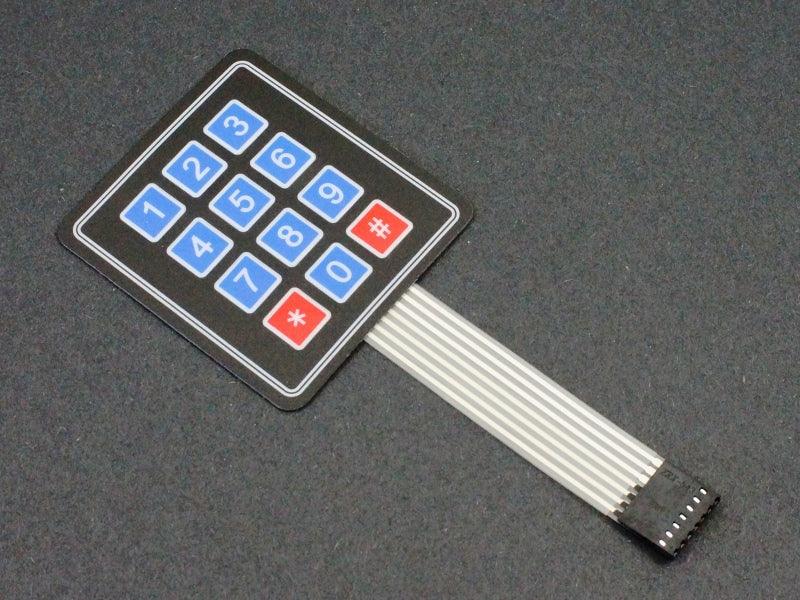
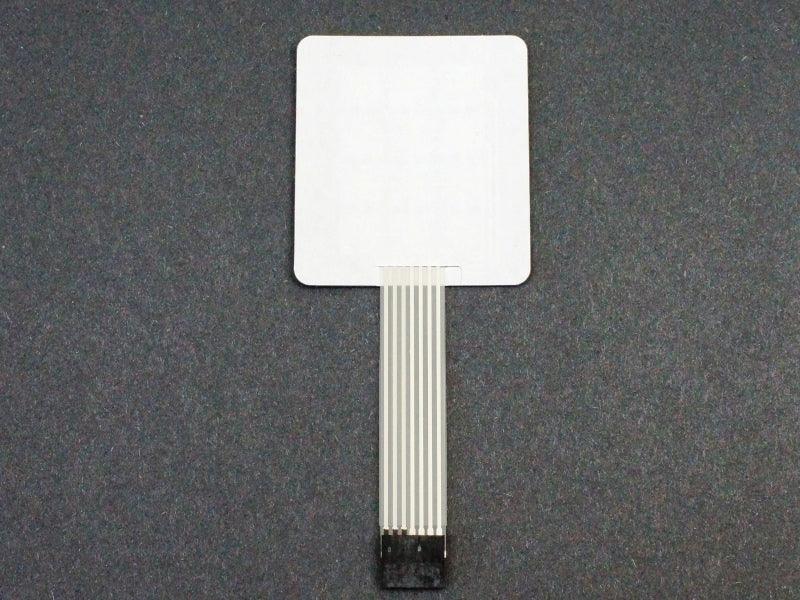
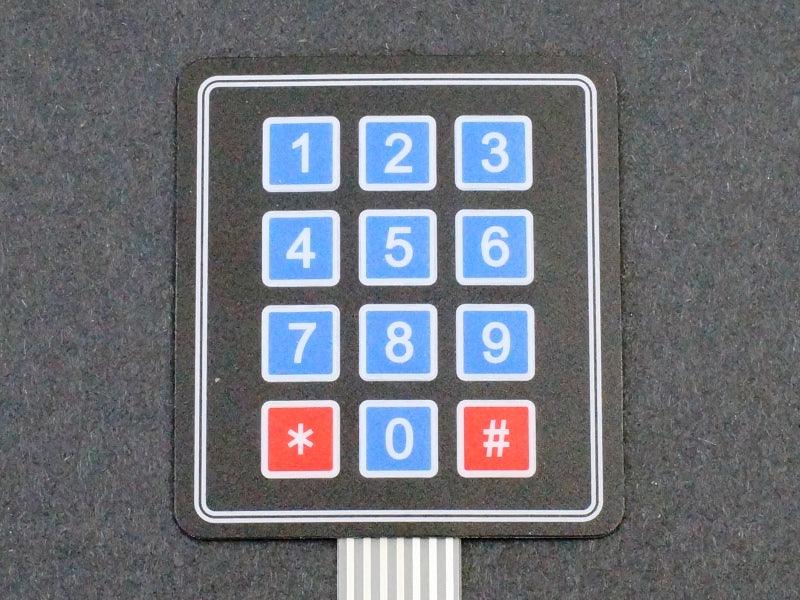
This 4×3 membrane keypad provides 12 keys in the standard telephone/calculator numeric layout (1–9, *, 0, #) — the most common keypad format for PIN entry and numeric input applications. The flexible membrane construction with adhesive backing allows it to be mounted on any flat surface, and the 7-pin ribbon cable connector makes wiring to Arduino straightforward. Compatible with the Arduino Keypad.h library.
Specifications
- Keys: 12 (4 rows × 3 columns)
- Key Labels: 1–9, *, 0, # (standard telephone layout)
- Interface: 7-pin ribbon cable connector
- Type: Membrane (flexible, thin)
- Adhesive Backing: Yes — peel and stick to any flat surface
- Supply Voltage: 3.3V and 5V compatible (passive matrix)
4×3 vs 4×4 Keypad — Which to Choose?
- 4×3 (this listing): 12 keys, standard numeric layout (0–9, *, #) — for PIN entry and numeric input
- 4×4: 16 keys, adds A/B/C/D function keys — for hex input and multi-function control
Arduino Wiring (Keypad.h Library)
- Connect 7-pin ribbon cable to Arduino digital pins (e.g., D2–D8)
- Install Keypad.h library from Arduino Library Manager
- Define 4-row × 3-column key map in sketch
Typical Applications
- PIN / password entry: Security systems, door locks, and access control
- Numeric data entry: Temperature setpoint, timer, and parameter input
- Panel-mount keypad: Adhered to enclosure panel for finished product appearance
- Phone-style input: Familiar telephone layout for user-friendly numeric entry
Package Contents
- 1 × 4×3 membrane keypad with 7-pin ribbon cable connector
12-key numeric membrane keypad in standard telephone layout — flexible, adhesive-backed, Arduino Keypad.h compatible for PIN entry and numeric input projects.

Blog posts
View all-

IC Chips & Discrete Components Express Shipping...
Shipping IC chips and discrete electronic components internationally requires more than choosing a carrier. ESD-safe packaging, correct HS codes, accurate customs declarations, and carrier selection for your destination all determine...
IC Chips & Discrete Components Express Shipping...
Shipping IC chips and discrete electronic components internationally requires more than choosing a carrier. ESD-safe packaging, correct HS codes, accurate customs declarations, and carrier selection for your destination all determine...
-

From Prototype to Mass Production — How to Scal...
Scaling from prototype to mass production is the most critical transition in a hardware product's lifecycle. The sourcing strategy that works for 10 prototype boards — cut tape, spot pricing,...
From Prototype to Mass Production — How to Scal...
Scaling from prototype to mass production is the most critical transition in a hardware product's lifecycle. The sourcing strategy that works for 10 prototype boards — cut tape, spot pricing,...
-

ISO 9001 Electronic Component Distributor — Wha...
ISO 9001:2015 certification is the most widely recognized quality management standard in the world — but what does it actually mean when an electronic component distributor claims to be ISO...
ISO 9001 Electronic Component Distributor — Wha...
ISO 9001:2015 certification is the most widely recognized quality management standard in the world — but what does it actually mean when an electronic component distributor claims to be ISO...


