



4×4 Membrane Keypad Matrix — 16-Key, 8-Pin Connector, Arduino Compatible
4×4 Membrane Keypad Matrix 16-Key, 8-Pin Connector, Arduino Compatible
Compatible JST cables for sensors and modules — secure & reliable. Shop now.

Couldn't load pickup availability
4×4 Membrane Keypad Matrix — 16-Key, 8-Pin Connector, Arduino Compatible
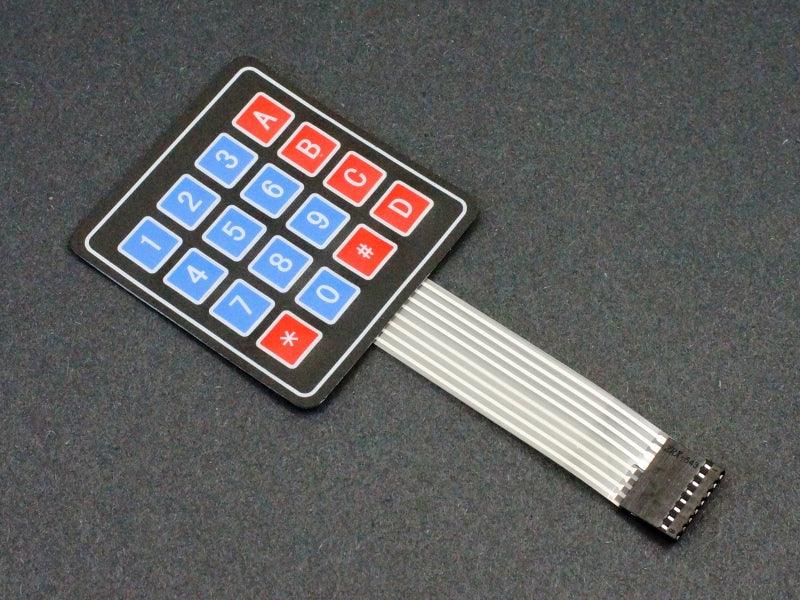
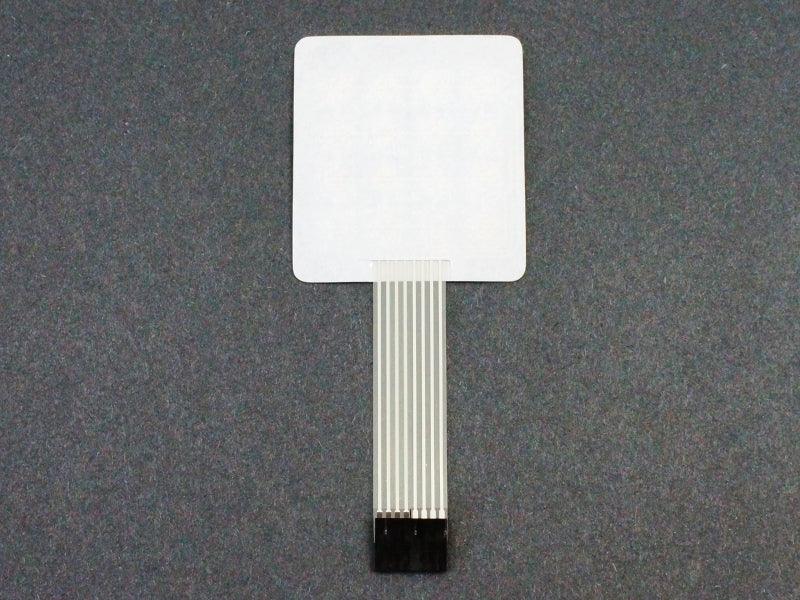
This 4×4 membrane keypad provides 16 keys in a flexible, ultra-thin form factor — the membrane version of the tactile PCB keypad. Unlike the rigid PCB keypad, the membrane keypad is flexible, lightweight, and can be adhered to curved or flat surfaces with the built-in adhesive backing. It uses the same 4-row × 4-column matrix scanning principle and is compatible with the Arduino Keypad.h library. The 8-pin ribbon cable connector makes wiring straightforward.
Specifications
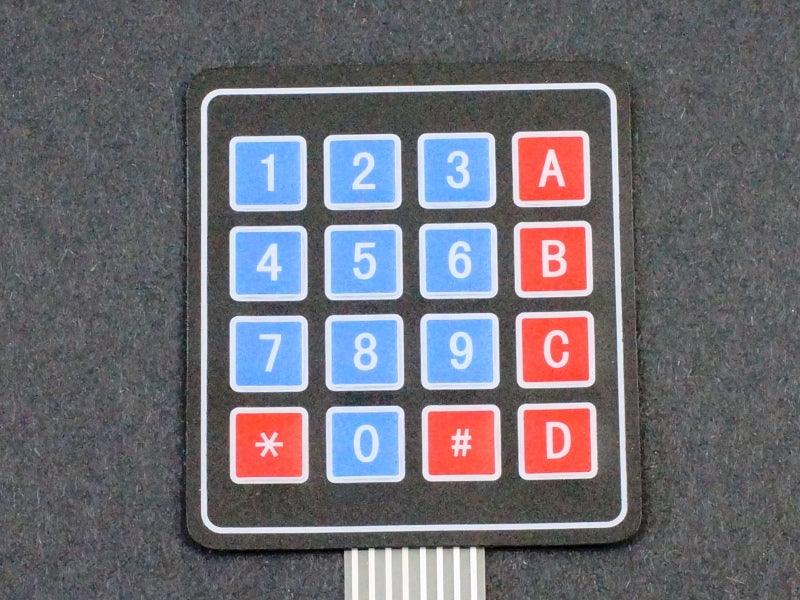
- Keys: 16 (4 rows × 4 columns)
- Key Labels: 1–9, *, 0, #, A, B, C, D (standard layout)
- Interface: 8-pin ribbon cable connector
- Type: Membrane (flexible, thin)
- Adhesive Backing: Yes — peel and stick to any flat surface
- Supply Voltage: 3.3V and 5V compatible (passive matrix)
Membrane vs Tactile PCB Keypad — Which to Choose?
- Membrane (this listing): Flexible, thin, adhesive backing, water-resistant surface — for panel mounting and finished products
- Tactile PCB keypad: Rigid, audible click, breadboard-friendly header — for prototyping and development
Arduino Wiring (Keypad.h Library)
- Connect 8-pin ribbon cable to Arduino digital pins (e.g., D2–D9)
- Install Keypad.h library from Arduino Library Manager
- Define key map, row pins, and column pins in sketch
Typical Applications
- Password / PIN entry: Security systems, door locks, and access control
- Panel-mount keypad: Adhered to enclosure panel for finished product appearance
- Numeric input: Calculator, data entry, and parameter setting
- Menu navigation: 16-key navigation for LCD menu systems
Package Contents
- 1 × 4×4 membrane keypad with 8-pin ribbon cable connector
Flexible, thin, adhesive-backed 16-key membrane keypad — Arduino Keypad.h compatible for password entry, panel mounting, and numeric input projects.

Blog posts
View all-

IC Chips & Discrete Components Express Shipping...
Shipping IC chips and discrete electronic components internationally requires more than choosing a carrier. ESD-safe packaging, correct HS codes, accurate customs declarations, and carrier selection for your destination all determine...
IC Chips & Discrete Components Express Shipping...
Shipping IC chips and discrete electronic components internationally requires more than choosing a carrier. ESD-safe packaging, correct HS codes, accurate customs declarations, and carrier selection for your destination all determine...
-

From Prototype to Mass Production — How to Scal...
Scaling from prototype to mass production is the most critical transition in a hardware product's lifecycle. The sourcing strategy that works for 10 prototype boards — cut tape, spot pricing,...
From Prototype to Mass Production — How to Scal...
Scaling from prototype to mass production is the most critical transition in a hardware product's lifecycle. The sourcing strategy that works for 10 prototype boards — cut tape, spot pricing,...
-

ISO 9001 Electronic Component Distributor — Wha...
ISO 9001:2015 certification is the most widely recognized quality management standard in the world — but what does it actually mean when an electronic component distributor claims to be ISO...
ISO 9001 Electronic Component Distributor — Wha...
ISO 9001:2015 certification is the most widely recognized quality management standard in the world — but what does it actually mean when an electronic component distributor claims to be ISO...


