Keszoox
Digispark ATtiny85 Micro USB Development Board — 6 GPIO, I²C, Arduino IDE Compatible
Digispark ATtiny85 Micro USB Development Board 6 GPIO, I²C, Arduino IDE Compatible

Couldn't load pickup availability
Digispark ATtiny85 — Micro USB Development Board
The Digispark ATtiny85 is the world's smallest Arduino-compatible development board, built around the Atmel ATtiny85 8-bit AVR microcontroller. With a built-in USB bootloader and 6 usable GPIO pins, it's perfect for compact wearable projects, USB HID devices, and space-constrained embedded applications — all programmable directly from the Arduino IDE.
Key Specifications
| Parameter | Value |
|---|---|
| Microcontroller | Atmel ATtiny85 |
| Clock Speed | 16.5MHz (USB mode) / 8MHz (internal) |
| Flash Memory | 8KB (6KB available after bootloader) |
| SRAM | 512 bytes |
| EEPROM | 512 bytes |
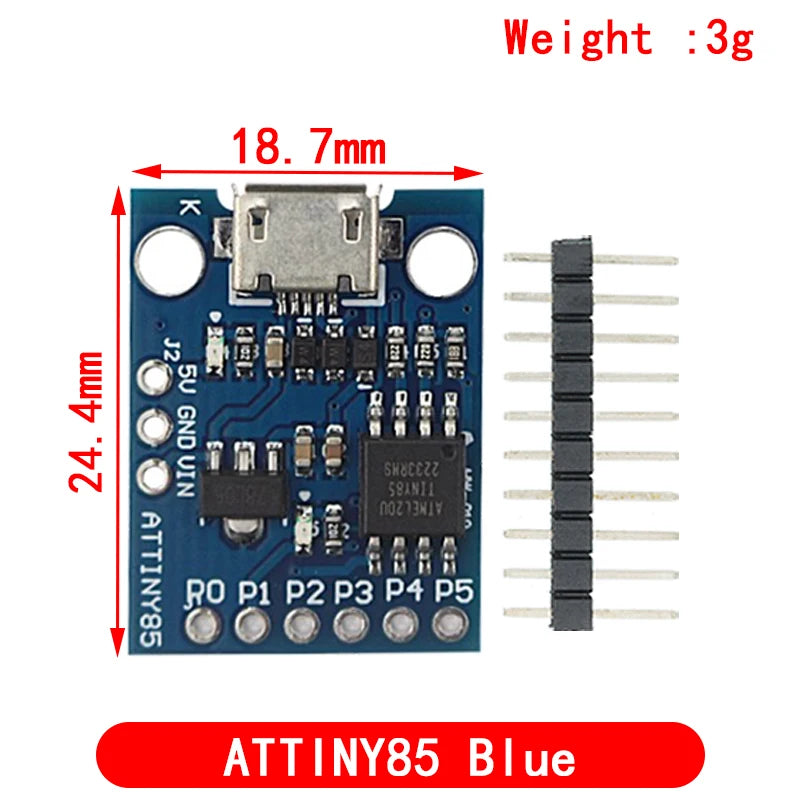
| GPIO Pins | 6 (P0–P5, including USB pins P3/P4) |
| PWM Pins | 3 (P0, P1, P4) |
| ADC Pins | 4 (P2, P3, P4, P5) |
| I²C | Yes (P0=SDA, P2=SCL via TinyWireM) |
| Operating Voltage | 5V (USB) or 3.5V–5V (VIN) |
| USB Interface | Micro USB (built-in V-USB bootloader) |
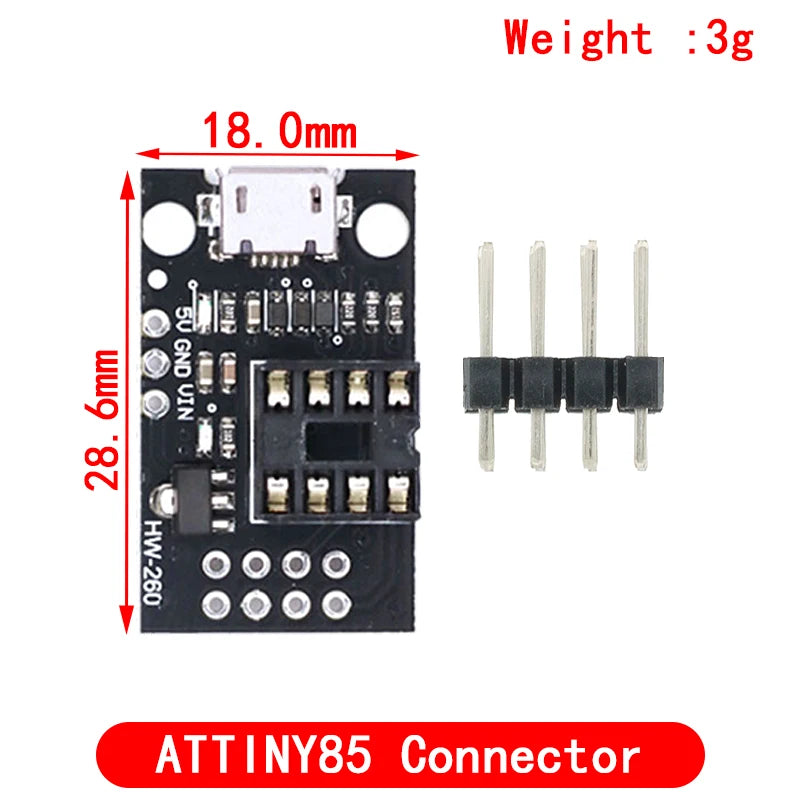
| Board Size | ~18mm × 25mm |
Why Choose Digispark ATtiny85?
- ✅ Smallest Arduino-compatible board — 18×25mm, fits anywhere
- ✅ Built-in USB bootloader — no external programmer needed, plug into USB and upload
- ✅ Arduino IDE compatible — install Digistump board package and use familiar Arduino syntax
- ✅ USB HID capable — emulate keyboard, mouse, or joystick via DigiKeyboard library
- ✅ Low power — ATtiny85 sleep modes for battery-powered wearables
Compatible With / Works With
- Arduino IDE (Digistump AVR board package)
- DigiKeyboard library — USB HID keyboard/mouse emulation
- TinyWireM library — I²C master for SSD1306 OLED, DS1307 RTC
- SoftSerial library — software UART on any GPIO pin
- Sensors: DHT11 (P0), NTC thermistor (ADC), LDR (ADC)
- Displays: SSD1306 0.96" OLED (I²C via TinyWireM)
Typical Applications
- USB HID Device — custom keyboard shortcut macro pad, USB rubber ducky
- Wearable Electronics — LED badge, NeoPixel wristband controller
- Compact Sensor Node — temperature logger with DHT11 + EEPROM storage
- USB Charger Trickle — keep-alive USB device for power banks
- IR Remote Emulator — ATtiny85 + IR LED for custom remote control
FAQ
Q: How do I program Digispark with Arduino IDE?
A: Install the Digistump AVR board package via Board Manager URL: http://digistump.com/package_digistump_index.json. Select "Digispark (Default - 16.5mhz)" as board. Upload — plug in the USB when prompted (within 60 seconds).
Q: Can Digispark use all 6 GPIO pins simultaneously?
A: P3 and P4 are shared with USB. During normal operation (non-USB), all 6 pins are available. During USB communication, P3/P4 are reserved for USB D-/D+.
Q: Is Digispark compatible with 3.3V sensors?
A: The board runs at 5V. Use a voltage divider or level shifter for 3.3V sensors. Some 3.3V sensors (like SSD1306 OLED) are 5V-tolerant on I²C lines.
Package Contents
- 1× Digispark ATtiny85 Micro USB Development Board