Keszoox
HL-340 USB to RS232 Serial Adapter — DB9 9-Pin COM Port Converter for Windows & Linux
HL-340 USB to RS232 Serial Adapter DB9 9-Pin COM Port Converter for Windows & Linux

Couldn't load pickup availability
HL-340 USB to RS232 Serial Adapter — DB9 9-Pin COM Port Converter
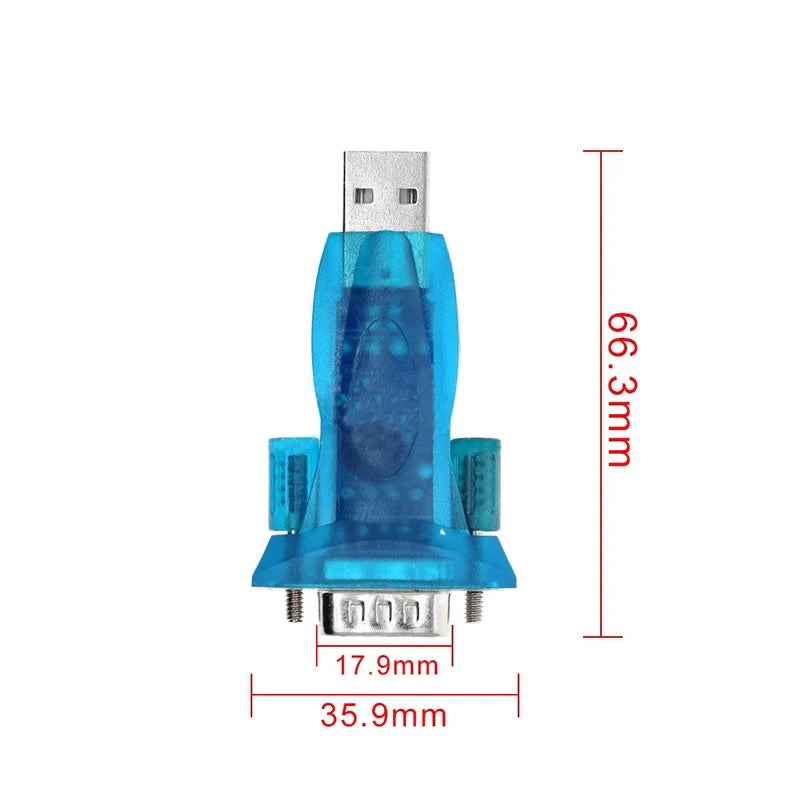
The HL-340 USB to RS232 adapter adds a standard DB9 RS232 serial COM port to any USB-equipped computer, enabling communication with legacy serial devices, industrial equipment, PLCs, GPS receivers, and microcontroller development boards that use RS232 signaling. Based on the HL-340 (CH340) USB-to-serial bridge IC, it is recognized as a standard COM port on Windows 7/8/10/11 and Linux without requiring manual driver installation on most systems.
Key Specifications
| Parameter | Value |
|---|---|
| Chip | HL-340 / CH340 USB-to-serial bridge |
| Interface (PC side) | USB-A (USB 1.1 / 2.0) |
| Interface (device side) | DB9 male (RS232) |
| RS232 Signal Levels | ±12V (standard RS232) |
| Baud Rates | 300 bps – 921,600 bps |
| OS Support | Windows 7/8/10/11, Linux (kernel driver), macOS (driver required) |
| Flow Control | RTS/CTS hardware flow control supported |
| Power | USB bus-powered (no external power required) |
| Origin | CN |
Why Use the HL-340 Adapter?
- Instant COM port — Plug into USB and Windows assigns a COM port number automatically; no PCI slot or motherboard RS232 header required
- True RS232 ±12V signaling — Onboard MAX232-equivalent level shifter generates proper RS232 voltage levels; compatible with all RS232 devices, not just TTL-level serial
- Wide baud rate range — 300 bps to 921,600 bps covers everything from legacy 9600 bps modems to high-speed industrial serial protocols
- RTS/CTS flow control — Hardware flow control support for devices that require it (modems, some PLCs)
- Bus-powered — No external power supply; draws power from the USB port
Typical Applications
- PLC programming and monitoring via RS232 serial port
- CNC machine controller serial communication
- GPS receiver NMEA data logging
- Industrial barcode scanner and label printer serial interface
- Legacy modem and serial device connectivity
- Arduino serial monitor via RS232 (with TTL-to-RS232 adapter on Arduino side)
- Network switch and router console port access
Frequently Asked Questions
Q: Do I need to install a driver on Windows 10/11?
Windows 10 and 11 include a built-in CH340 driver that installs automatically when the adapter is plugged in. If the COM port does not appear in Device Manager, download the latest CH340 driver from WCH’s official website (wch.cn) and install manually.
Q: Can I use this to program an Arduino?
This adapter provides an RS232 DB9 port, not a TTL serial port. Arduino boards use TTL-level serial (0V/5V or 0V/3.3V). To connect this adapter to an Arduino’s TX/RX pins, you need an additional RS232-to-TTL level converter. For direct Arduino programming, use a USB-to-TTL adapter (CH340G or CP2102 module) instead.
Package Contents
- 1× HL-340 USB to RS232 DB9 Serial Adapter