



USB 2.0 Type-B Panel Mount Extension Cable — 1ft (30cm)
USB 2.0 Type-B Panel Mount Extension Cable 1ft (30cm)
Compatible JST cables for sensors and modules — secure & reliable. Shop now.

Couldn't load pickup availability
USB 2.0 Type-B Panel Mount Extension Cable — 1ft (30cm)
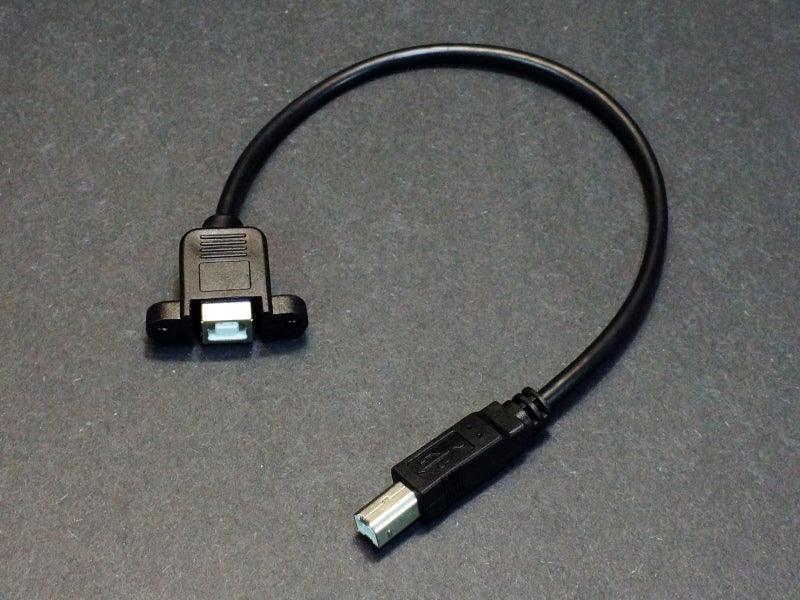
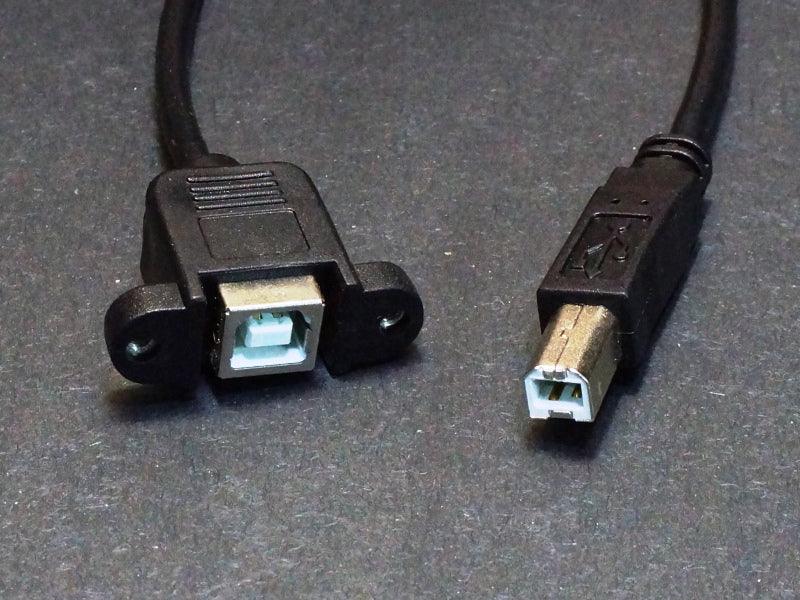
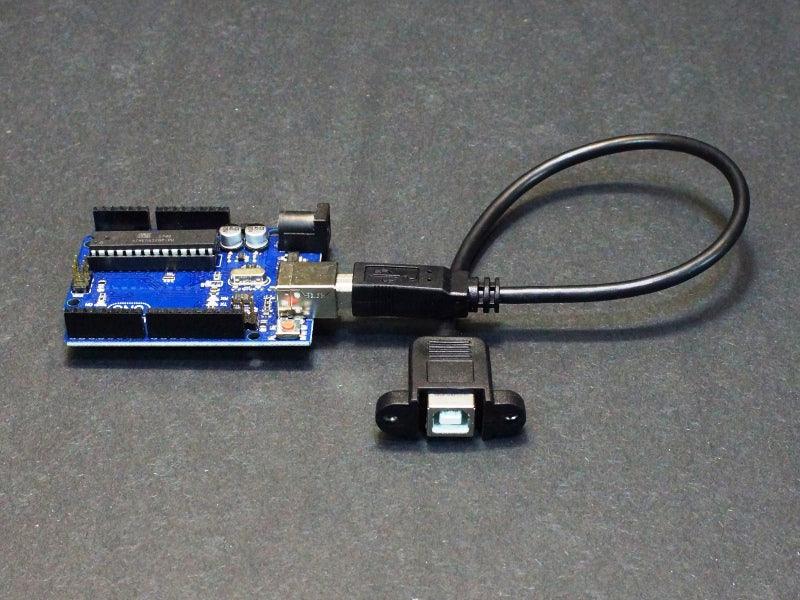
A USB 2.0 Type-B panel mount extension cable — 1ft (30cm) — designed to bring a USB Type-B port to the front or rear panel of an electronics enclosure. One end features a panel-mount female Type-B socket with M3 mounting holes for secure installation; the other end is a standard Type-B male plug that connects internally to your Arduino Uno, Mega, or any USB Type-B device. The USB Type-B connector is the standard square USB connector used on Arduino Uno, Mega, and most USB printers and instruments.
Key Specifications
- Connectors: Type-B female (panel mount) ↔ Type-B male plug
- Length: 1ft (30cm) | Standard: USB 2.0 Hi-Speed (480Mbps)
- Panel mounting: M3 screw holes for secure enclosure installation
- Wire: 28AWG data + 24AWG power
- Current: up to 2A
- Compliance: RoHS compliant
Why Choose This?
- ✅ Panel-mount Type-B design — install a permanent USB-B port on any enclosure panel for Arduino Uno/Mega access
- ✅ M3 mounting holes — secure, vibration-resistant installation with standard M3 screws
- ✅ Full USB 2.0 Hi-Speed — 480Mbps data transfer for programming and serial communication
- ✅ Short 1ft length — ideal for compact enclosures with limited internal routing space
- ✅ Standard Type-B compatibility — works with any standard USB-A to USB-B cable
Typical Applications
- Panel-mount USB programming port for Arduino Uno/Mega enclosures
- Custom instrument and test equipment front-panel USB-B port
- Industrial controller enclosure USB programming access
- 3D printer controller enclosure USB panel port
- Embedded system enclosure USB device port
Installation Notes
The panel-mount socket requires a standard USB Type-B rectangular cutout in the enclosure panel. Secure with two M3 screws through the mounting holes. Route the Type-B male end internally to the Arduino or target device. Use any standard USB-A to USB-B cable for external connection.

Blog posts
View all-

IC Chips & Discrete Components Express Shipping...
Shipping IC chips and discrete electronic components internationally requires more than choosing a carrier. ESD-safe packaging, correct HS codes, accurate customs declarations, and carrier selection for your destination all determine...
IC Chips & Discrete Components Express Shipping...
Shipping IC chips and discrete electronic components internationally requires more than choosing a carrier. ESD-safe packaging, correct HS codes, accurate customs declarations, and carrier selection for your destination all determine...
-

From Prototype to Mass Production — How to Scal...
Scaling from prototype to mass production is the most critical transition in a hardware product's lifecycle. The sourcing strategy that works for 10 prototype boards — cut tape, spot pricing,...
From Prototype to Mass Production — How to Scal...
Scaling from prototype to mass production is the most critical transition in a hardware product's lifecycle. The sourcing strategy that works for 10 prototype boards — cut tape, spot pricing,...
-

ISO 9001 Electronic Component Distributor — Wha...
ISO 9001:2015 certification is the most widely recognized quality management standard in the world — but what does it actually mean when an electronic component distributor claims to be ISO...
ISO 9001 Electronic Component Distributor — Wha...
ISO 9001:2015 certification is the most widely recognized quality management standard in the world — but what does it actually mean when an electronic component distributor claims to be ISO...


